The Original Baby Shusher App
ShusherParenting
3.0114.00 Reviews
- Version
- 2.2.11
- Installs
- 10.00K
- Age Rating
- Everyone
Screenshots


Our Review of The Original Baby Shusher App
 Analysis by Appyee
When I consider a sound app for a baby, I care about more than whether its audio can be soothing: I want something simple to operate while I’m tired, and I want to be careful about the phone and the choices involved. The Original Baby Shusher App is a focused parenting app from Shusher, built around one familiar action: playing a steady shushing sound. That narrow purpose is appealing, but it also means it should be judged as a small helper, not as a complete sleep or childcare solution.
It costs $1.99, has an Everyone age rating, and is currently at version 2.2.10, with Android 6.0 as its minimum OS requirement. The app has a 3.0 average from around 350 ratings, and more than 10,000 installs. I read that rating as a reason to keep expectations measured: some families may find the sound useful, while others may not get the response they hoped for. A baby’s reaction can vary, so I would treat it as one option to try rather than a dependable way to stop every bout of crying.
A narrow tool can be easier to use under pressure
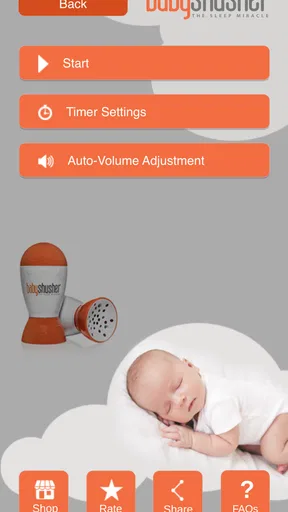
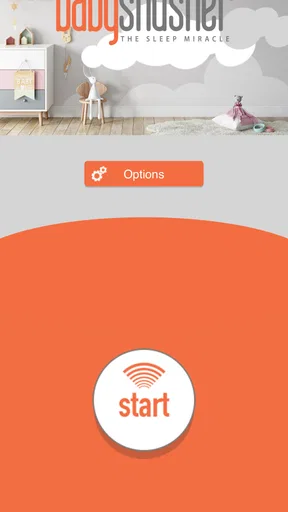
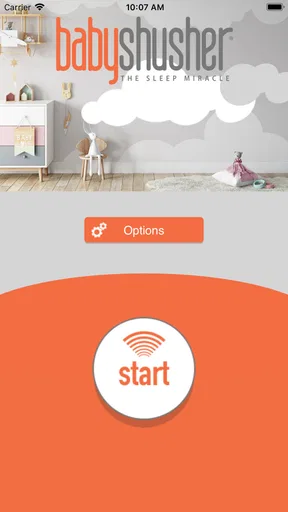
When a baby is unsettled, a complicated app is the last thing I want to manage. The published experience described here centers on a prominent play button, plus volume and timer controls. That straightforward setup suits the moment when one hand is occupied and I want to start a familiar sound without searching through menus. The app’s appeal is not a broad collection of sleep tools; it is the low-effort path from opening it to hearing a shush.
There is a practical distinction between offering a calming cue and addressing why a baby is crying. A shush may help some babies settle, but it cannot tell me whether the child is hungry, uncomfortable, too warm, or needs another kind of care. I would first check the ordinary needs and use the audio only when it makes sense. If crying seems unusual or I am worried about the baby’s health, an app is not a substitute for appropriate medical advice.
What I would check before relying on it
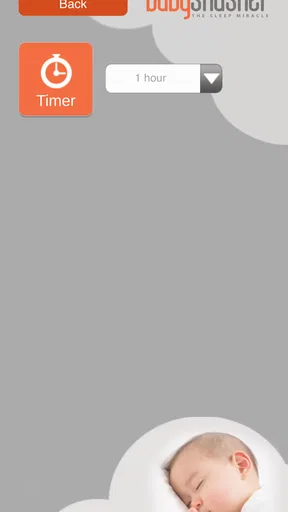
The app description focuses on sound playback, a timer, volume adjustment, and the option to record a personal shushing sound. Those are useful controls to know about, but I would test them while the baby is calm rather than during a difficult bedtime. A quick practice run helps me learn where the controls are, choose a comfortable level, and see how the timer behaves before I need it in a hurry.
On privacy and trust, I keep my claims limited to what I can establish: the listed functions include playing audio and, if I choose, recording a shush. Recording a voice is a more personal action than tapping play, so I would only use that option if I’m comfortable making a recording for the app. I would also check the current permission prompts and the privacy information shown in the relevant app store before installing or recording. I would not assume that a simple interface proves anything about data handling, nor would I assume that recording is required to use the basic sound.
Small choices that make the sound more useful
I would begin at a low, comfortable volume and keep the phone at a sensible distance rather than placing it right beside the baby. The aim is to offer a steady cue, not to make the sound dominate the room. If the baby becomes more alert or unsettled, I would stop and try another soothing approach instead of increasing the volume automatically.
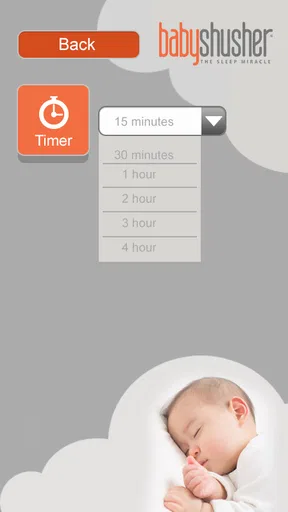
The timer can also be used as a boundary: I can decide in advance how long I want the sound to run, then check on the baby rather than leaving audio playing simply because I forgot about it. For a nap routine, I would use the same calm sequence each time—settle the baby, start the sound if it helps, and keep the rest of the routine consistent. That makes it easier to notice whether the shushing itself seems useful or whether another part of the routine is doing the work.
Who may prefer a different option
This is most suitable for a caregiver who wants a dedicated shushing sound, values a quick start, and is willing to see whether their baby responds. It may be less appealing if you want a broad library of sounds, a collection of sleep-tracking tools, or an app that guides a full bedtime routine. A separate sound machine can be a better fit for families who do not want a phone involved at bedtime; a recording already available on a device may suit someone who only needs occasional playback. Those alternatives trade the app’s direct, phone-based convenience for a different setup.
For travel, the phone makes the sound easy to bring along, but it also creates a small planning issue: I would make sure the device is charged and that I can start playback without disrupting other phone tasks. In a car or stroller, I would keep the phone secured and attend to the baby rather than handling settings while moving. At home, testing the sound in the room where the baby sleeps helps me judge whether the chosen volume is appropriate for that space.
What is the Baby Shusher?
So, what exactly is this app all about? Essentially, the The Original Baby Shusher App is designed to soothe your baby with a rhythmic "shushing" sound. The idea is based on a time-tested technique used by parents to calm their little ones. The app aims to mimic the sounds babies hear in the womb, which is supposed to be comforting and calming.
Getting Started with the App
First things first, downloading and setting up the app is a breeze. Available on both Android and iOS platforms, it’s just a quick download away from the Play Store or App Store. Once installed, the interface is refreshingly simple, which is perfect because, let’s be real, when your baby is crying, you don’t have time to fiddle with complicated setups.
Opening the app, you’re greeted with a large play button. Tap it, and the soothing shushing sound begins. You can adjust the volume and the timer, which is super handy for those late-night cries when you’re desperate for sleep.
The Experience: Does it Really Work?
Now, onto the real test: does it actually work? I was a bit skeptical at first, but to my surprise, the app worked wonders on my little one. The rhythmic shushing sound seemed to calm them down within minutes. It’s almost like magic when you see your baby go from fussy to peaceful so quickly.
What I love most is the convenience. No more pacing around the room making shushing noises myself. Plus, the app’s portability means it can be used anywhere—at home, in the car, or even during a stroll in the park. I’ve even found myself using it during family outings to keep the peace.
Features That Stand Out
- Adjustable Timer: You can set the app to shush for as long as you need, which is perfect for nap times or bedtime routines.
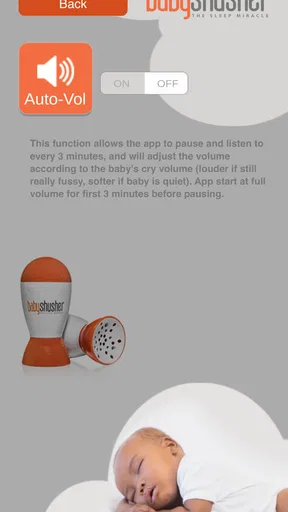
- Volume Control: Easily adjust the volume to your baby’s preference or the environment’s noise level.
- Customizable Shush: The app allows you to record your own shushing sounds, adding a personal touch to your baby’s calming routine.
These features make the app not just effective but also flexible, catering to different babies’ needs and preferences.
Final Thoughts: A Must-Have for Parents
After using the app for a few weeks, I can confidently say that The Original Baby Shusher App is a game changer for parents. It’s a simple, effective, and convenient solution to one of the most challenging aspects of parenting—calming a crying baby. While it may not work for every baby (because each one is unique), it has certainly earned a permanent spot on my phone.
In conclusion, if you’re looking for a reliable way to soothe your little one, give this app a try. It’s a small investment that could lead to big rewards—more sleep for you and a happier, calmer baby. And who doesn’t want that?
A realistic place in the bedtime routine
Imagine arriving home after an outing just as your baby is getting overtired. I would first get settled, check that the baby is comfortable, and then try the app at a modest volume while holding or placing the child safely as usual. If the steady shushing seems to help, I can leave the timer to run while I stay nearby. If it does not, I can switch to rocking, a feed, or another familiar response without treating the app as something that must work.
That is the most useful way to think about a single-sound tool: it can make one part of a routine easier, but it cannot replace a caregiver’s attention or adapt to every situation. The option to record a familiar caregiver’s shush may be worth testing if the standard sound does not feel right, though I would compare the two in calm moments rather than assuming a personal recording will automatically work better. The trade-off is straightforward: a more personal sound requires a recording choice, while the built-in playback avoids that extra step.
My cautious recommendation
I would consider paying for it if a dedicated shushing sound is exactly what I want and I am comfortable using my phone as the playback device. The $1.99 price is a modest one-time decision, but value depends on whether the sound suits the baby; the mixed 3.0 average is a useful reminder that results are not universal. If I already own a sound machine or prefer not to use a phone near sleep, I would choose that option instead. For caregivers who want a simple sound cue and are willing to test it thoughtfully, this app is worth considering—just not as a promise of instant quiet or a replacement for attentive care.
Verdict
Strengths of The Original Baby Shusher App
- Soothing sound options for babies.
- Easy-to-use interface for parents.
- Customizable timer settings.
- Portable alternative to traditional shushers.
- Supports background play for multitasking.
Limitations of The Original Baby Shusher App
- Limited free content; some features cost extra.
- Requires internet for updates.
- May drain battery quickly when used extensively.
- Ads can interrupt the user experience.
- Sound options may not suit all babies.
Similar Picks in This Category
View All
Family Space
Motorola Mobility LLC.3.9

شرطة الأطفال - مكالمة وهمية
Oub Apps4.1

Findmykids: Parental Control
LETEM LTD4.6

Pregnancy + | Tracker App
Philips Electronics UK Limited4.8

Policía de niños - para padres
Kids police4.7

Pregnancy App
Amila4.9
Frequently Asked Questions
What is the Original Baby Shusher App, and how does it work?
The Original Baby Shusher App is designed to help soothe and calm your baby by mimicking the rhythmic shushing sounds that remind them of being in the womb. The app uses a real human voice to create a calming environment, helping babies relax and fall asleep faster. It’s available on both Android and iOS platforms.
Is the Baby Shusher App safe for my baby’s hearing?
Yes, the Baby Shusher App is designed with your baby’s safety in mind. It provides adjustable volume settings to ensure the sounds are at a safe level for your baby’s sensitive ears. It’s important to follow the recommended guidelines for sound usage and keep the device at a safe distance.
Can I use the Baby Shusher App for newborns and older infants?
Absolutely, the Baby Shusher App is suitable for newborns and older infants alike. It’s a versatile tool that can be used to soothe babies at different stages of infancy. The calming shush sounds can help manage fussiness, making it a helpful companion for parents.
Does the Baby Shusher App have any additional features?
Yes, the Baby Shusher App includes a timer option, allowing you to set how long the shush sounds will play. This feature helps conserve battery life and ensures your baby is not exposed to continuous sound. The app also provides a variety of shushing patterns to suit your baby’s needs.
Is internet access required to use the Baby Shusher App?
No, the Baby Shusher App does not require an internet connection to function. Once downloaded, all features are accessible offline. This makes it convenient for use in any location, whether at home or on the go, without needing to worry about connectivity issues.
